
This post contains affiliate links.
IPv6 Is Enabled by Default in Windows — And That Creates a Hidden Security Risk for Businesses
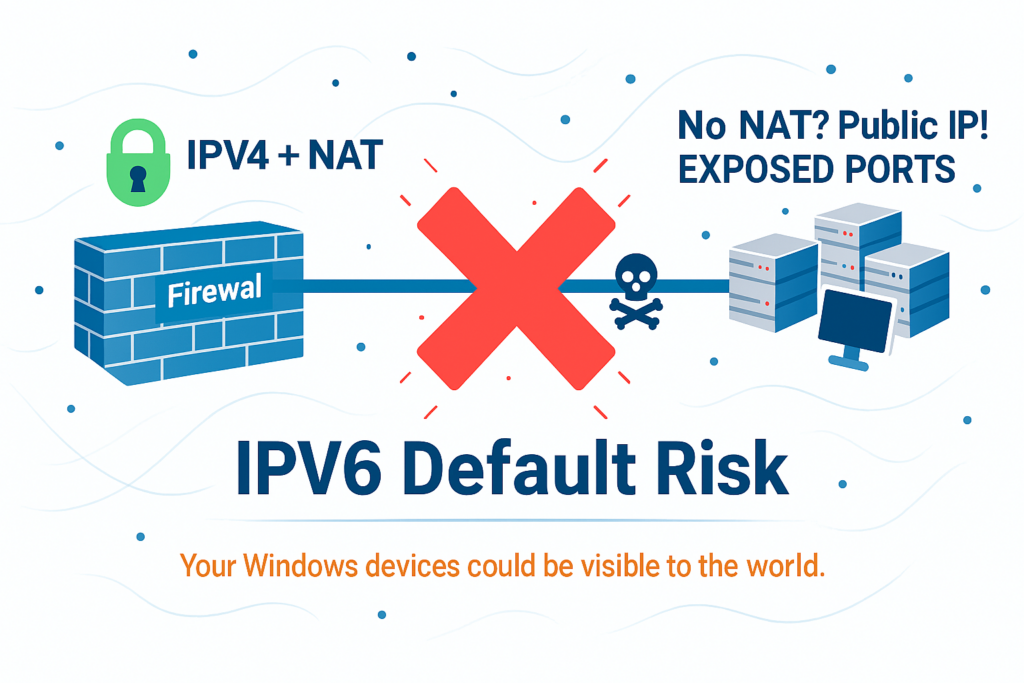
Every modern version of Windows — including Windows 10, Windows 11, and Windows Server — ships with IPv6 enabled by default. Even if your network is running entirely on IPv4, Windows quietly configures IPv6 addresses, listens on IPv6 ports, and prefers IPv6 for many internal operations.
For most organizations, this goes completely unnoticed.
But when an ISP activates IPv6 on the customer’s router — even unintentionally — Windows devices immediately begin using public, globally routable IPv6 addresses. If the router does not include a proper IPv6 firewall, those devices can become directly reachable from the internet.
This is a security gap that many businesses never see coming.
Why Windows Enables IPv6 by Default
Microsoft designed Windows to assume that IPv6 is the future of networking. As a result:
- IPv6 is always enabled
- Windows prefers IPv6 over IPv4
- Services automatically bind to IPv6 interfaces
- Privacy addresses are generated in the background
- Applications silently use IPv6 when available
This behavior is intentional — but it also means that IPv6 can become active on your network without your knowledge.
The Dangerous Scenario: ISP Enables IPv6 + Router Has No Firewall
Many ISP‑provided routers:
- Enable IPv6 automatically
- Do not include a stateful IPv6 firewall
- Do not block unsolicited inbound IPv6 traffic
- Do not notify the customer
When this happens:
1. Every Windows device receives a public IPv6 address
No NAT. No hiding. No translation.
2. Any open port becomes globally reachable
Remote Desktop, SMB, SQL, web servers, IoT services — anything listening on IPv6 is exposed.
3. Attackers can scan your devices directly
IPv6 scanning is slower than IPv4, but automated tools already exist.
4. Businesses think they’re protected because IPv4 NAT still works
But NAT does not apply to IPv6.
Windows is ready for IPv6, but your router may not be ready to protect it.
Why NAT Doesn’t Save You in IPv6
In IPv4, NAT unintentionally acted like a security barrier.
In IPv6, NAT disappears — by design.
IPv6 security depends entirely on stateful firewalling, not address translation.
If your router has no IPv6 firewall, your devices are exposed the moment IPv6 is activated.
How to Disable IPv6 in Windows (If Your Network Isn’t Ready)
If your ISP router does not provide a proper IPv6 firewall, the safest temporary measure is to disable IPv6 on your Windows devices until you deploy a secure firewall solution.
Method 1 — Disable IPv6 via Network Adapter Settings
- Open Control Panel
- Select Network and Internet
- Click Network and Sharing Center
- Select Change adapter settings
- Right‑click your active network adapter → Properties
- Uncheck Internet Protocol Version 6 (TCP/IPv6)
- Click OK and restart the computer
Method 2 — Disable IPv6 Using PowerShell
Run PowerShell as Administrator and enter:
Disable-NetAdapterBinding -Name "*" -ComponentID ms_tcpip6To re‑enable IPv6 later:
Enable-NetAdapterBinding -Name "*" -ComponentID ms_tcpip6Method 3 — Disable IPv6 via the Windows Registry (Advanced)
- Open Registry Editor
- Navigate to:
HKEY_LOCAL_MACHINE\SYSTEM\CurrentControlSet\Services\Tcpip6\Parameters - Create a new DWORD (32‑bit) value named
DisabledComponents - Set its value to
0xFF - Restart the computer
When Should You Disable IPv6?
Disable IPv6 temporarily if:
- Your ISP router has no IPv6 firewall
- You cannot control inbound IPv6 traffic
- You have not yet deployed a business‑grade firewall
- You want to prevent accidental exposure during network upgrades
Once a proper firewall is in place, IPv6 can be safely re‑enabled.
Final Thoughts
IPv6 is not the problem — unprotected IPv6 is. Windows enables IPv6 by default, and ISPs increasingly activate IPv6 without warning. If your router lacks a proper firewall, your business could be exposed to the internet without realizing it.
A secure IPv6 deployment requires planning, visibility, and the right equipment. Our team can help you assess your current environment, secure your network, and ensure that IPv6 becomes an asset — not a vulnerability.
Need Help Securing IPv6 in Your Business?
IPv6 is becoming the new standard, but without the right firewall and configuration, your devices may be exposed to the internet without your knowledge.
Our team can audit your network, secure your IPv6 deployment, and ensure your business stays protected as technology evolves.
Schedule a ConsultationMore like this
-
IPv6 Enabled by Default in Windows: Hidden Security RisksJanuary 16, 2026
-
Small Business IT Services in Long Island, NYNovember 6, 2025
-
Budget-Friendly Tech Support for Small Businesses in New YorkOctober 21, 2025
-
Business Technical Support in New YorkOctober 1, 2025